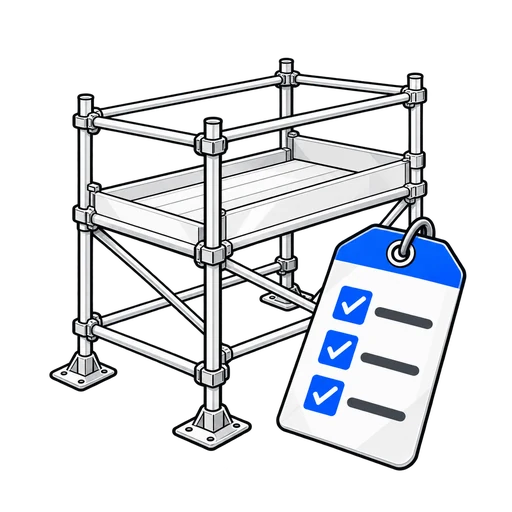
Scaffold Inspection Form Template for Construction Sites
Run daily or handover scaffold checks covering tags, bases, platforms, guardrails, and access — with inspector signature. Load this FormSafely template, customise for your sites, and share a fill link so inspections happen before anyone climbs.
In the builder, open Templates and load this form to get started.
For Construction · Trades & contracting · Hub
Why this online form template matters
Scaffold that looks fine from the ground can hide missing boards, loose guardrails, or an out-of-date tag. A scaffold inspection form template turns the daily or handover check into a consistent digital record before anyone works at height.
Paper inspection sheets blow away, stay in the wrong van, or get filled in after the crew has already started. An online checklist keeps the same items every time: scafftag, bases, platforms, guardrails, access, unauthorised alterations, and whether the scaffold is safe to use. The inspector completes the form on a phone, attaches a photo of the tag if needed, and signs.
FormSafely’s Scaffold Inspection template is for construction supervisors, scaffold companies, and trade crews who need proof that checks happened. Sign up or sign in at the builder, open Templates, load Scaffold Inspection, adjust labels for your scaffolding contractor or site codes, and share a fill link.
Digital inspections help when something fails: you can show what was checked, when, by whom, and what defects were raised. Export PDF or CSV from Reports for principals, clients, or internal audits. Required fields reduce “tick and flick” blanks that leave you exposed after an incident.
Use Scaffold Inspection with Permit to Work, Hot Work, Confined Space Entry, and Excavation / Dig Permit so your construction library covers both permits and working-at-height checks. Pair it with Hazard Report when a defect needs escalation beyond the scaffold checklist.
From multi-storey commercial frames to small trade scaffolds, a shareable online inspection form keeps tags and platforms honest. Replace clipboard lag with a fill link your inspectors can open at the base of the tower.
FormSafely focuses on practical safety forms — load the template, customise once, share the link, and keep scaffold records ready when someone asks “was it inspected today?”
Handover inspections and daily checks are different moments, but they should still produce comparable records. The inspection-type field on this template lets inspectors mark whether they are doing first use, a weather re-check, or a routine daily walk — without inventing a new form each time. That history helps when a scaffolder asks what changed overnight.
When a scaffold is tagged unsafe, the defects field and photo become the brief for the repair crew. Supervisors can open Reports, see who signed the stop, and confirm the scaffold was not used until a later inspection cleared it. That chain of evidence is hard to reconstruct from whiteboard notes.
Principal contractors increasingly expect digital working-at-height records from trade packages. Sharing one FormSafely fill link across your scaffold inspections keeps your package consistent even when inspectors rotate between sites. Start from the template, keep the checklist honest, and climb only when the record says it is safe.
What this FormSafely template covers
Fields aligned with the ready-made template in the FormSafely builder (you can customise after loading).
- Inspection date and time (required)
- Scaffold ID / location (required)
- Inspector name (required)
- Inspection type dropdown (required)
- Checks checklist — scafftag, bases, ledgers, platforms, guardrails, access, alterations, area below (required)
- Scaffold safe to use? Yes / No (required)
- Defects / actions required
- Photo of scaffold / tag
- Inspector signature (required)
Related construction & trades form templates
Explore sibling templates your team may need alongside this one.



Ready to digitise this form?
Sign up or sign in, open Templates in the builder, load this template, and share a fill link. Export submissions as PDF or CSV from Reports when you need records.